 Bezelry
App Store screenshots, beautifully done.
Bezelry turns raw screenshots into polished App Store images — device frames, captions and backgrounds — in every size and every language. On Mac, iPad and iPhone.
Free download · No account needed · Bezelry Pro from $5.99


How it works
From raw capture to App Store–ready in three steps.
-
Drop in your screenshots
Drag them in from Finder or Files, import a folder with a subfolder per language, or let new Simulator captures land in your project on the Mac.
-
Make it yours
Pick a device and finish, write your captions and choose a background. Start from a template, then style the whole set or any single screen.

-
Export everything
Every size App Store Connect asks for, in every language, in one go. Or upload the set straight to App Store Connect.


Made with Bezelry
Screenshots that sell.
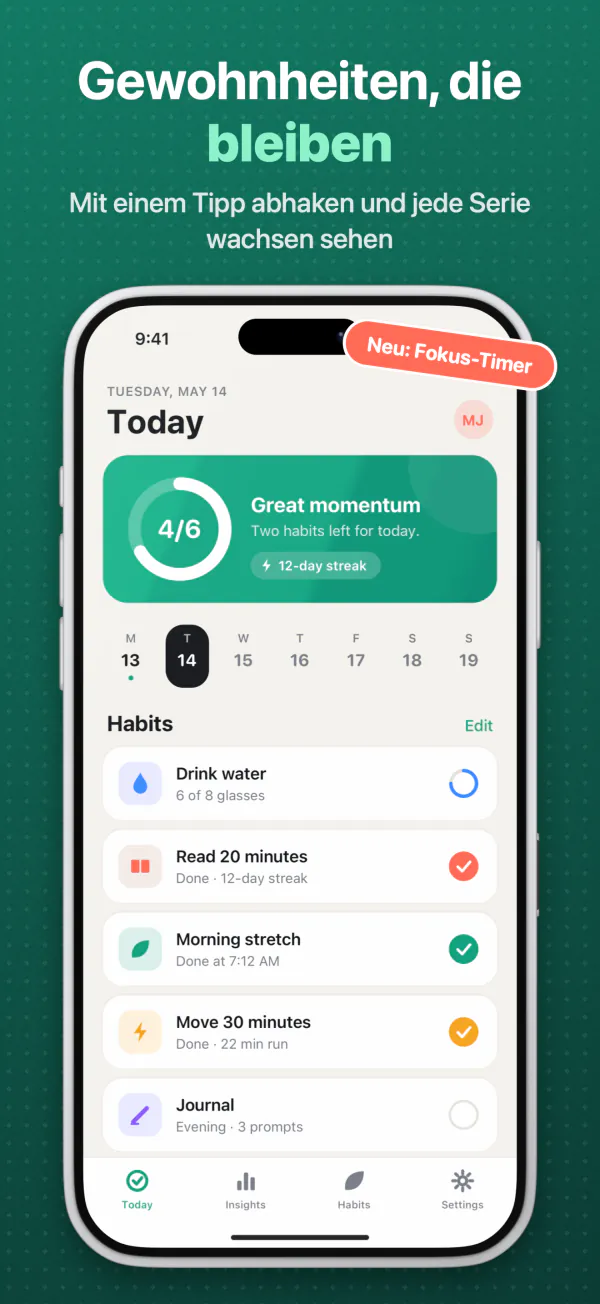
Crisp device frames, bold captions with highlighted words, mesh gradients and zoom callouts — designed once, applied to every screen.
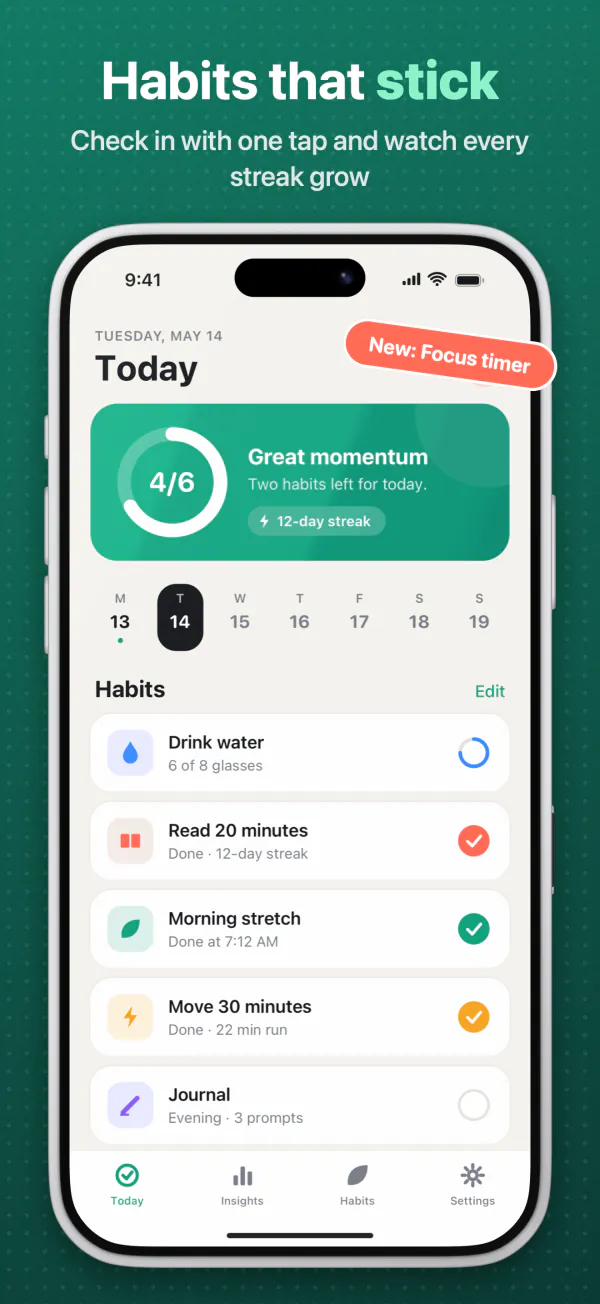
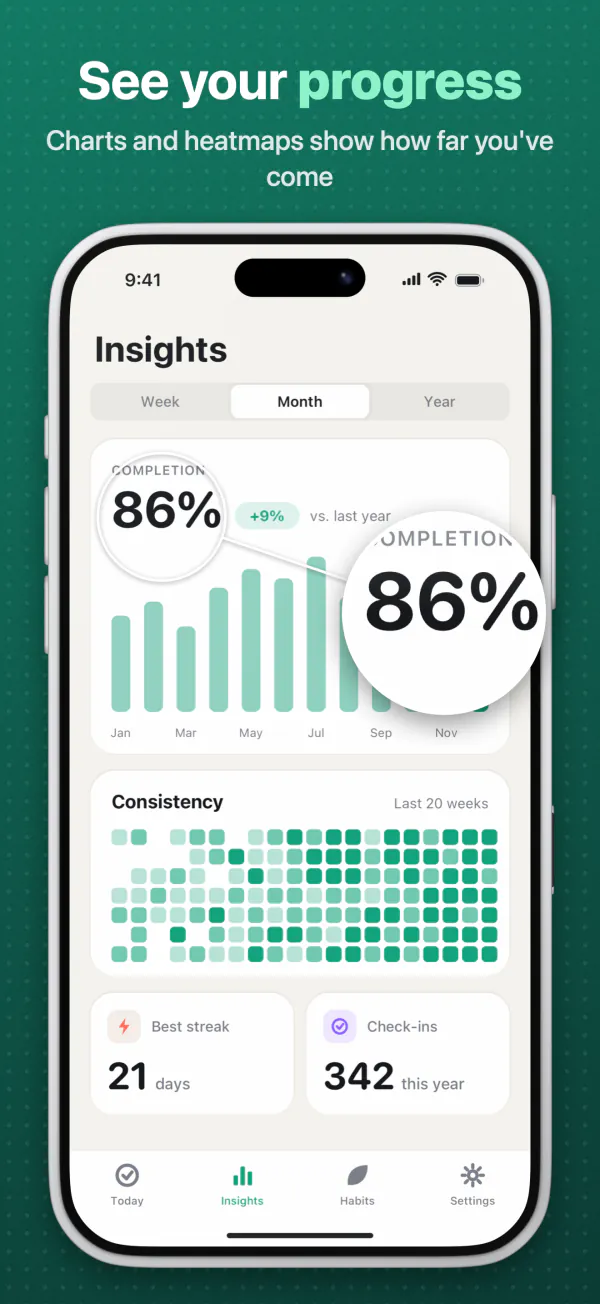
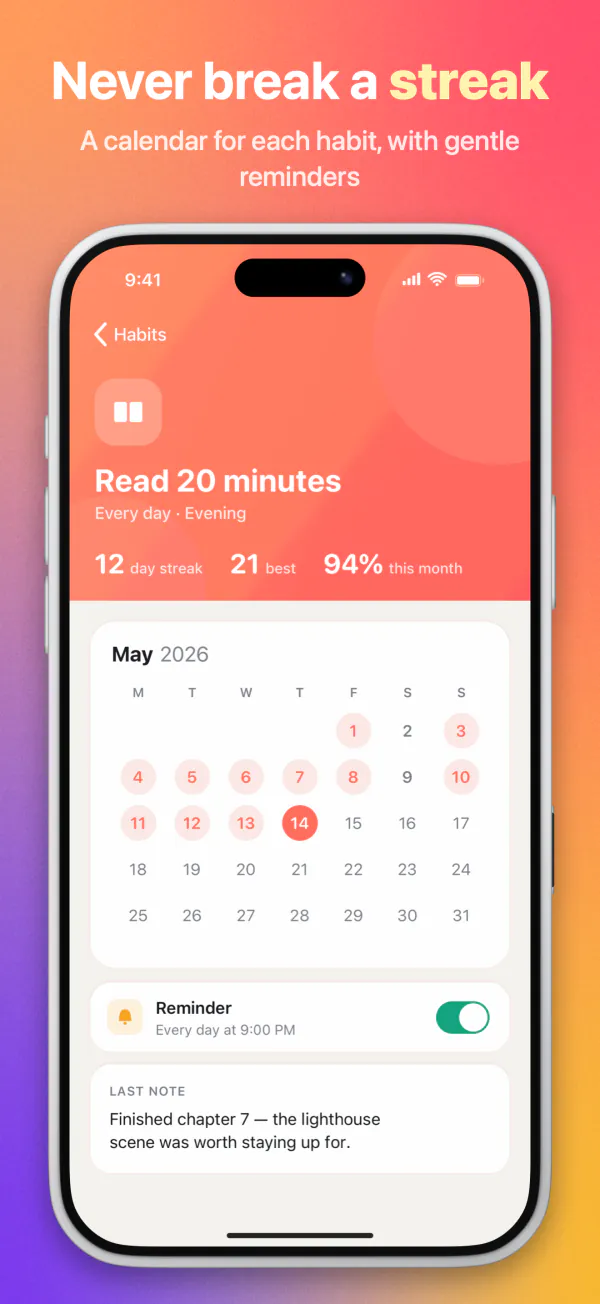
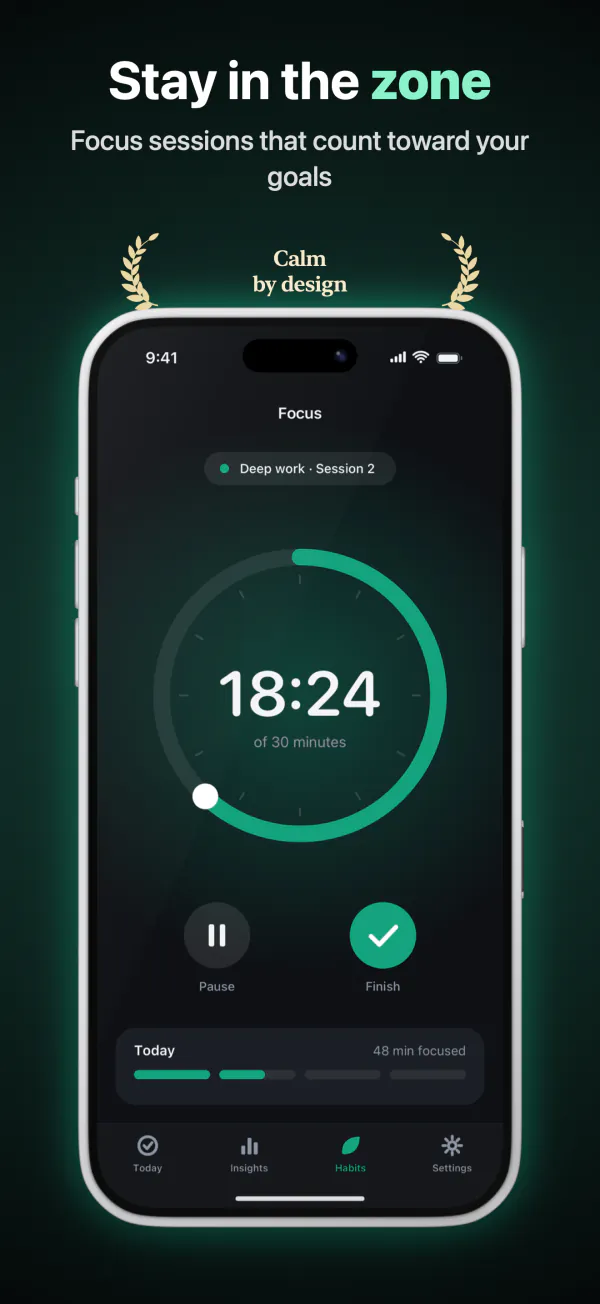
Made from Bezelry's sample project for Ripple, a made-up habit tracker.
On-canvas editing
Edit right on the canvas.
Drag, resize and rotate devices, captions and layers exactly where you see them. What you design is what you export — pixel for pixel.
- Badges, logos, text, curved arrows, award laurels and zoom callouts
- Several devices on one screen, like an iPhone with an Apple Watch
- Panoramic sets whose background and devices flow across screens
- A clean 9:41 status bar, applied for you

Device frames
A frame for every device. In every finish.
Bezelry draws its own frames in code, so they're razor-sharp at every size — in real finishes or any color you like, with 3D tilt, shadow, glare and glow.
iPhone
iPhone 18 ProiPhone 18 Pro MaxiPhone AiriPad and Mac
iPad Pro 11″iPad Pro 13″iPad miniMacBook Pro 14″ and 16″iMac 24″Apple Watch
Series 11 (42 and 46 mm)Ultra 2Ultra 3
Captions
Captions that fit. In every script.
Wrap a word in asterisks to highlight it in its own color and weight. Long translations shrink to fit their line limits, right-to-left languages just work, and each language can have its own font.
*Highlighted*words in their own color and weight- Auto-fit for long translations
- Right-to-left languages and per-language fonts
Localization
Speak every customer's language.
Give each App Store language its own captions and screenshots. Translate every caption with AI using your own Anthropic API key, then let the text-fit overview flag anything that runs long.
- All 39 App Store languages, per-language captions and screenshots
- AI translation with your own Anthropic API key (Pro)
- Import captions from JSON, CSV or
.stringsfiles - A text-fit overview that flags captions that don't fit
Export
Every size. One export.
Pick your languages and sizes once. Bezelry renders every combination as PNG or JPEG, neatly organised in a folder per language and size — or uploads them straight into the version you're preparing in App Store Connect.
App Store
iPhone 6.9″, 6.5″, 6.3″iPad 13″, 12.9″, 11″MacApple WatchGoogle Play
Phone7″ and 10″ tabletFeature graphicSocial and web
SquarePortraitStoryXLink previewProduct HuntWebsite hero
Store Page Preview
See your product page
before it goes live.
Bezelry lays out your set exactly the way the App Store will — your icon, name and subtitle above the screenshot carousel. Flip between light and dark, switch languages, and catch a cut-off caption or a clashing color before App Review does. Or your customers.
Included free
A real capture of Bezelry on the Mac. Ratings and developer details in the preview are placeholders.
The real layout
iPhone, iPad and Mac product pages, with your screenshots at their true proportions.
Light and dark
Make sure your colors hold up on both App Store appearances.
Every language
Check each localized set the way customers in that country will see it.
And so much more
Everything a store page needs.
Backgrounds
Solid colors, linear, radial and mesh gradients, a blurred copy of your screenshot or your own image — plus patterns and film grain.
Device effects
3D tilt, rotation, scale and bleed, shadow, glass glare, colored glow and outline.
Zoom callouts
Magnify the detail that matters. Add badges, logos, curved arrows and award laurels too.
Templates
Built-in looks and your own reusable styles, with background colors suggested from your screenshots.
App Store Connect uploadPRO
Send a finished set straight into the version you're preparing, with your own App Store Connect API key.
AI translationPRO
Translate captions into every language in your project, using your own Anthropic API key.
Watched folders
On the Mac, new Simulator screenshots land in your project, and watched folders re-import when your UI tests write new ones.
Command line
The bezelry CLI renders every size and language from CI, using your project as a template.
Copy and drag
Copy a single screen to the clipboard or drag it straight out into a post, a doc or a chat.
Mac, iPad and iPhone
One app. Every device you own.
The same projects on all three, kept in sync through iCloud Drive. Buy Bezelry Pro once and it unlocks everywhere.
Mac
The full studio, with a Welcome window, watched folders, Simulator capture and the command line.
iPad
Every design tool on a big touch canvas, with the inspector right beside your work.
iPhone
Tweak a caption, check a translation or export a set, wherever you are.
Projects are documents in your iCloud Drive, in a Bezelry folder in Finder and Files.
No account. No analytics. No tracking.
Your projects stay on your devices and in your own iCloud Drive. Bezelry has no servers, collects nothing, and keeps your API keys in the Keychain.
- Data Not Collected
- No third-party code
- Keys stay in your Keychain
Pricing
Free to design. Pro to ship.
Every design feature is free. Bezelry Pro adds clean exports and the integrations that save you hours.
Free
Everything you need to design.
Forever
- Every frame, layer, background and effect
- Every size and every language
- Store Page Preview
- Mac, iPad and iPhone, synced with iCloud
- Exports carry a small Bezelry watermark
Bezelry Pro
Clean exports, and the integrations that ship them.
That's $2.50 a month, billed yearly
- Clean exports, without the watermark
- Upload to App Store Connect
- AI caption translation with your own Anthropic API key
Prices in US dollars; App Store prices vary by country. The free trial applies to the yearly plan. Subscriptions renew automatically until cancelled in your Apple Account settings — see the Terms of Use. Translation uses your own Anthropic API key, billed by Anthropic.
FAQ
Questions, answered.
Is Bezelry really free?
Yes. Every design feature, every frame, size and language, and the Store Page Preview are free. Free exports carry a small Bezelry watermark; Bezelry Pro removes it and adds App Store Connect upload and AI caption translation.
Do I need an account?
No. There's nothing to sign up for. Projects are documents on your devices and in your own iCloud Drive, and purchases go through your Apple Account.
Are Apple's product bezels included?
No, and you won't miss them. Bezelry draws every device frame itself, in code — iPhone, iPad, Mac and Apple Watch — so they look sharp at any size and come in real finishes or any color you pick.
How does AI translation work?
Add your own Anthropic API key in Settings, then choose Translate Captions. Bezelry sends only the caption text you translate, directly to Anthropic; usage is billed to your Anthropic account. Translation is part of Bezelry Pro.
Does Pro unlock on all my devices?
Yes. Bezelry is one purchase across Mac, iPad and iPhone. Sign in with the same Apple Account and choose Restore Purchases on the Bezelry Pro screen if needed.
Ship screenshots you're proud of.
Download Bezelry free for Mac, iPad and iPhone. Upgrade to Pro when you're ready to ship.